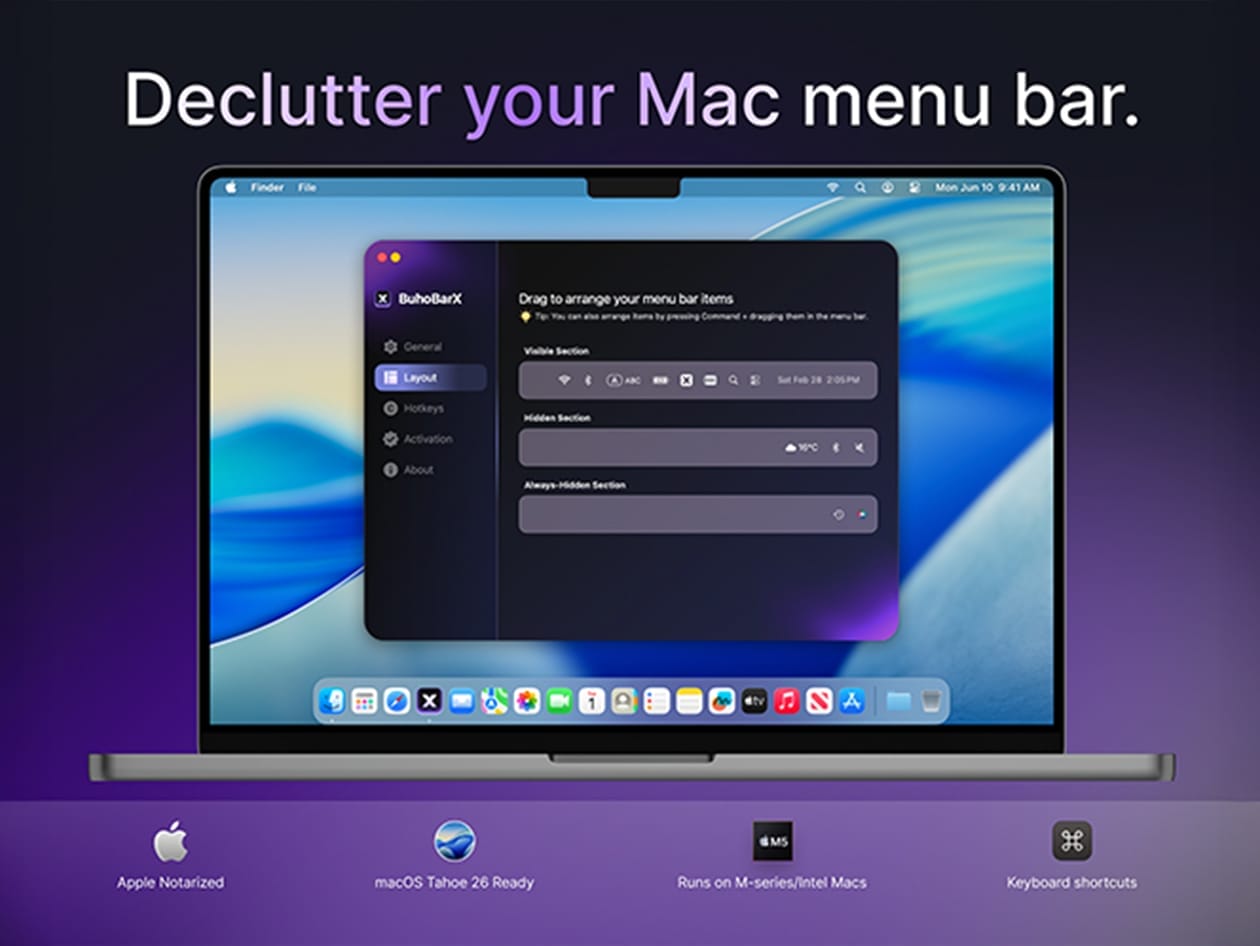
Too many icons crowding your Mac’s menu bar? On notch MacBooks, does the camera cutout push icons out of view or cause them to overlap? BuhoBarX is the simple yet powerful solution that brings order back to your menu bar.
Designed to give you complete control, BuhoBarX lets you hide rarely used icons, rearrange items effortlessly, and access hidden icons instantly whenever you need them. You can even adjust icon spacing to create a cleaner, more balanced look. The result? A neat, organized, and distraction-free menu bar that works the way you want—especially on Macs with limited space. With BuhoBarX, your menu bar stays clean, efficient, and perfectly tailored to your workflow.
4.8/5 stars on TrustPilot: ★ ★ ★ ★★★
Powerful menu bar control
One-Click Declutter: Instantly hide infrequently used icons so only your most important tools stay visible.
Drag-and-Drop Arrangement: Easily move any system or third-party icon anywhere on your menu bar and organize them the way you want.
Granular Visibility Control: Assign icons to Visible, Hidden, or Always Hidden to decide exactly what appears on your menu bar.
Hidden Panel for Quick Access: Access hidden icons anytime through a convenient panel without crowding your menu bar.
Custom Hotkeys: Instantly reveal hidden or always-hidden icons using keyboard shortcuts for a faster workflow.
Notch-Aware Management: Prevent the MacBook camera notch from swallowing or overlapping your icons by automatically managing limited menu bar space.
Clean design, built for modern Macs
Customizable Icon Spacing: Adjust spacing between icons with options like Default, Small, Tiny, or No Spacing to create a balanced, clean layout.
Simple and User-Friendly Interface: A straightforward design that’s easy for any Mac user to understand and use.
Optimized for Modern Macs: Fully compatible with macOS 26 Tahoe and runs smoothly on Apple Silicon (M1-M5) and Intel-based Macs.
Lightweight Performance: Runs quietly in the background with minimal CPU and memory usage while keeping your menu bar organized.
PRODUCT SPECS
System Requirements
macOS 14 or later
Important Details
Length of access: lifetime
Redemption deadline: redeem your code within 30 days of purchase
Access options: desktop
Max number of device(s): 3
Only available to BOTH new and existing users
Software Version: 1.2.3
Updates included
Have questions on how digital purchases work? Learn more here
Bring Back a Beautiful, Organized Launchpad—With More Control, Customization, And Speed Than Ever Before
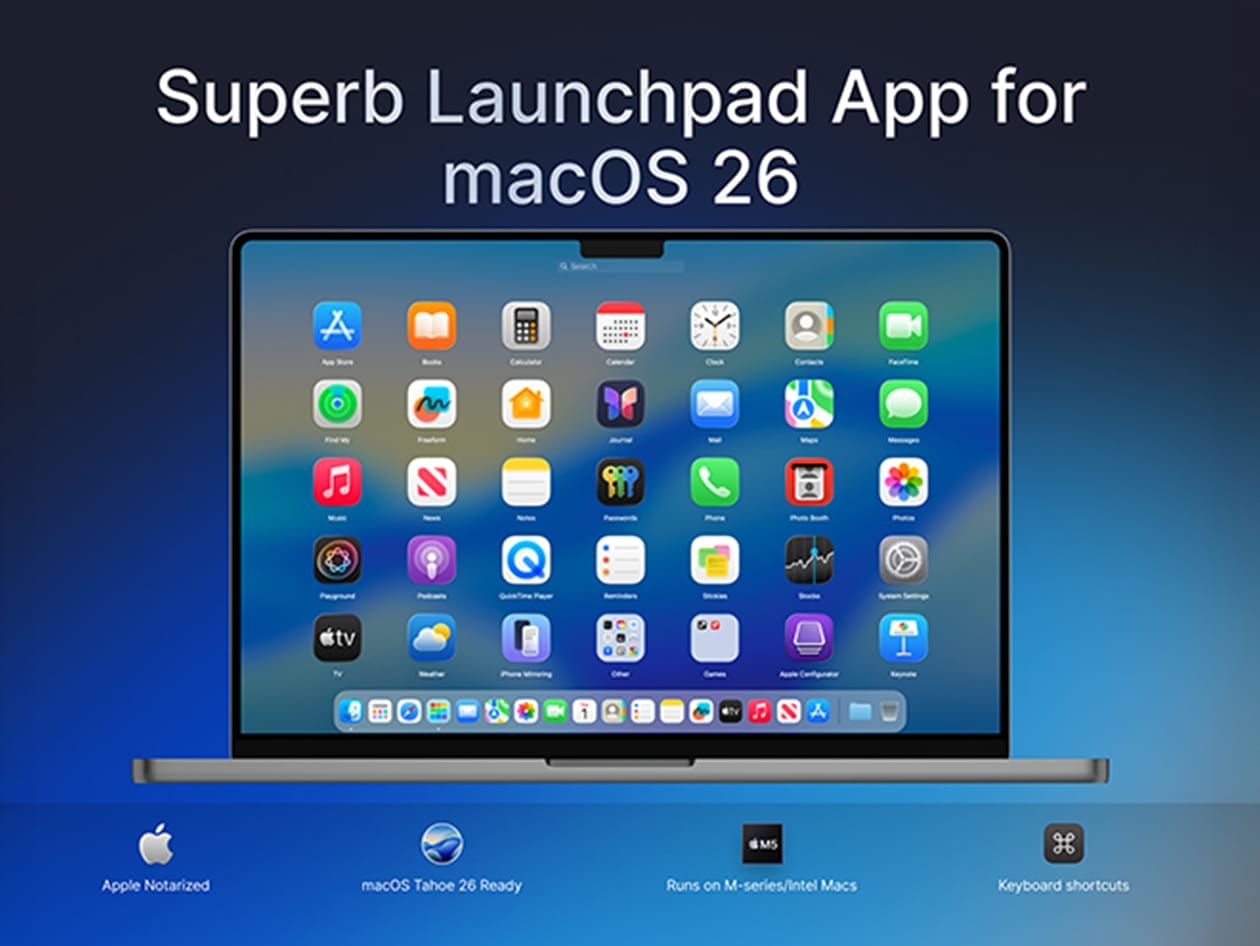
Miss the simplicity of a clean, well-organized Launchpad on your Mac? BuhoLaunchpad gives you complete control over how you view, organize, and launch your apps. Create custom layouts that match your workflow, arrange apps exactly the way you want, and build multiple scenes for different moments of your day—whether you’re working, creating, or relaxing at home.
You can instantly summon BuhoLaunchpad using Trackpad Gestures, Hot Corners, and keyboard shortcuts, giving you faster access to everything you need without interrupting your flow. Every interaction feels smooth and responsive, delivering a Launchpad experience that finally works the way you expect.
With BuhoLaunchpad, your apps are organized, accessible, and perfectly tailored to your Mac workflow.
4.8/5 stars on TrustPilot: ★ ★ ★ ★★★
Ultimate Launchpad control for every workflow
Multiple Layout Scenes: Create different layouts for Work, Creative, Gaming, or any other workflow. Switch between them instantly to match your needs.
Restore & Backup Layouts: Back up your Launchpad arrangement locally and restore it in seconds on a new Mac, after macOS reinstall, or after accidental changes.
Drag-and-Drop Ordering: Easily reposition apps, create folders, and group related apps for a Launchpad that works the way you do
Smooth, native Mac experience
Full Trackpad Gesture Support: Pinch to open, swipe between pages, and enjoy fluid navigation just like macOS Launchpad.
Dock Integration & Management:Interact seamlessly with your Dock or hide it for a cleaner workspace—complete flexibility for your workflow.
Optimized Icon Scaling:Icons now match native Launchpad proportions for a balanced, familiar visual experience.
Easy to use & fully customizable
Simple, Intuitive Interface: Clean design that feels instantly familiar to any Mac user.
Optimized for Modern Macs: Works flawlessly on macOS 26 Tahoe, Apple Silicon (M1–M5), and Intel-based Macs.
Reliable App Detection:Automatically detects newly installed or updated apps so your Launchpad is always current.
Customizable Visuals:Adjust icon sizes, grid spacing, and background effects to tailor the look and feel exactly how you want.
PRODUCT SPECS
System Requirements
macOS 14 or later
Important Details
Length of access: lifetime
Redemption deadline: redeem your code within 30 days of purchase
Access options: desktop
Max number of device(s): 3
Only available to BOTH new and existing users
Software Version: 1.5.0
Updates included
Have questions on how digital purchases work? Learn more here
Free Up Storage, Boost Performance, And Keep Your Mac Running Like New
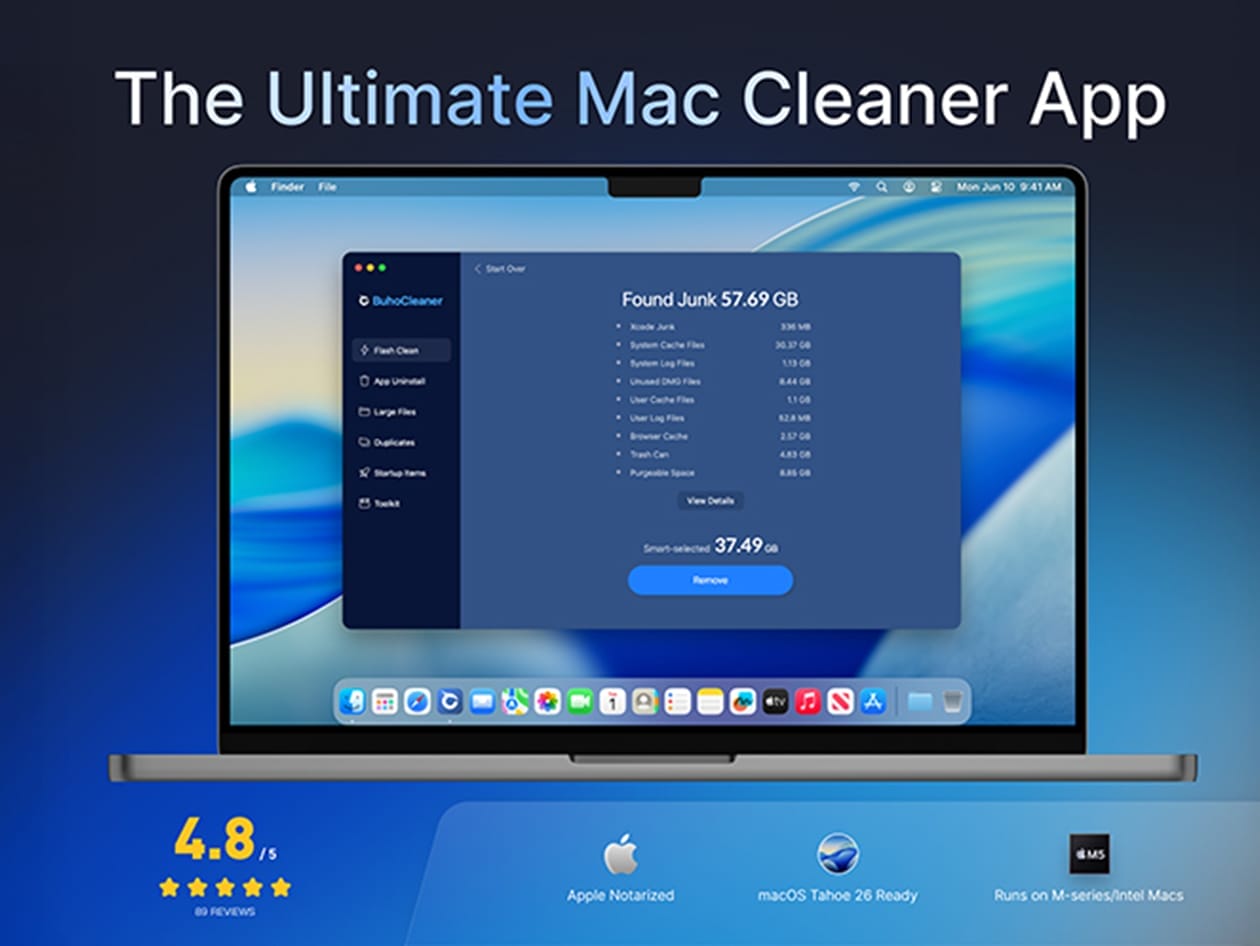
Running out of storage space on your Mac? BuhoCleaner is here to help you reclaim space and restore peak performance in just a few clicks.
BuhoCleaner is an easy-to-use Mac cleanup and optimization tool designed to keep your system fast, organized, and clutter-free. It helps you quickly remove unnecessary files such as cache junk, leftover application files, large files, and duplicate files that silently take up valuable storage. You can also completely uninstall apps, manage startup programs, and monitor your system’s real-time performance—all from one clean, intuitive interface.
With powerful optimization features and advanced Mac acceleration technology, BuhoCleaner helps your Mac run more smoothly even when handling memory-intensive tasks. The result is a faster, cleaner, and more responsive Mac that always feels ready for whatever you do next.
4.8/5 stars on TrustPilot: ★ ★ ★ ★★★
Organize apps your way
Multiple Layout Scenes: Create separate layouts for Work, Creative, Gaming, or any workflow. Instantly switch between scenes whenever your needs change.
Drag-and-Drop App Arrangement: Easily reposition apps, create folders, and group related tools to build a Launchpad that makes sense for how you work.
Backup & Restore Layouts:Save your entire Launchpad layout to a local file and restore it in seconds if you get a new Mac, reinstall macOS, or accidentally change your setup.
Smooth, native macOS experience
Full Trackpad Gesture Support: Use familiar gestures like pinch to open and swipe between pages for fluid, natural navigation.
Dock Integration & Control:Enjoy seamless interaction between Launchpad and the Dock, or hide the Dock in settings for a cleaner interface.
Optimized Icon Scaling:Icons are carefully tuned to match native macOS proportions, delivering a balanced and familiar visual feel.
Built for modern Macs and easy customization
Simple, Intuitive Interface:A clean design that feels instantly familiar to any Mac user.
Reliable App Detection: Automatically detects newly installed or updated apps so your Launchpad always stays up to date.
Customizable Visual Experience: Adjust icon sizes, grid spacing, and background effects to create a Launchpad that matches your personal style.
Optimized for Modern Macs: Fully compatible with macOS 26 Tahoe and runs smoothly on Apple Silicon (M1–M5) and Intel-based Macs.
PRODUCT SPECS
System Requirements
macOS 14 or later
Important Details
Length of access: lifetime
Redemption deadline: redeem your code within 30 days of purchase
Access options: desktop
Max number of device(s): 3
Only available to BOTH new and existing users
Software Version: 1.15.2
Updates included
Have questions on how digital purchases work? Learn more here
Unlock Full Read And Write Access To NTFS Drives On Your Mac
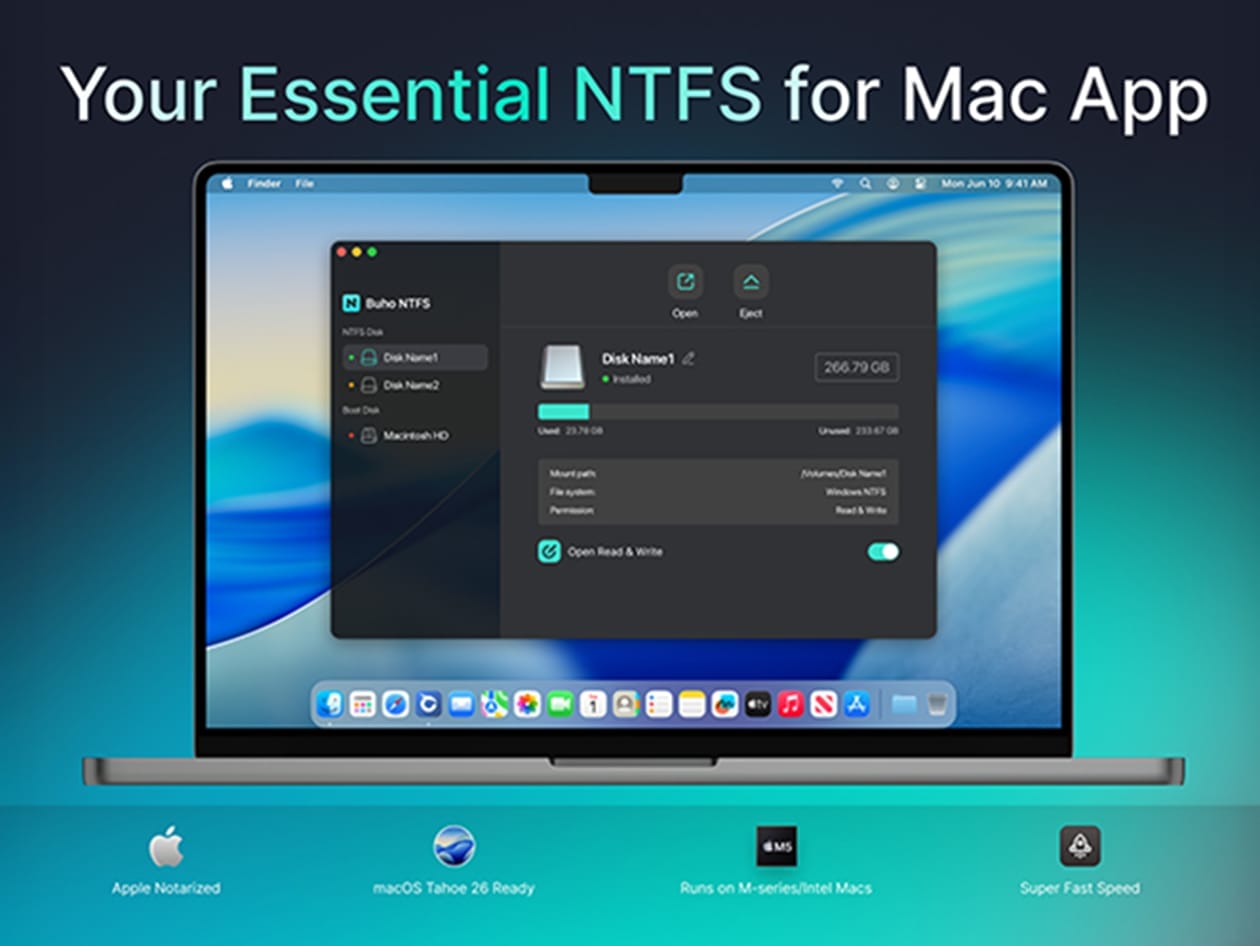
Seeing the frustrating “You can only read, not write” message when connecting an NTFS drive to your Mac? BuhoNTFS removes that limitation and gives you complete control over your files.
BuhoNTFS is a powerful and reliable NTFS for Mac solution that enables full read and write access to NTFS-formatted drives without complicated setup, terminal commands, or technical workarounds. Simply connect your external drive and start transferring, editing, and managing files instantly.
With BuhoNTFS, you can seamlessly move files between Mac and Windows, work with external hard drives, SSDs, and USB drives, and handle your data the way it’s meant to be handled—quickly, smoothly, and without restrictions.
4.8/5 stars on TrustPilot: ★ ★ ★ ★★★
Full NTFS access without limits
Complete Read & Write Support:Read, write, edit, delete, and copy files on any NTFS-formatted drive as easily as you would on a native Mac drive.
Works With All NTFS Drives:Compatible with drives formatted on Windows XP through Windows 11, including USB flash drives, external hard drives, and Boot Camp partitions.
Fast, High-Performance Transfers:Engineered for blazing-fast read and write speeds, making large file transfers smooth and efficient.
Simple, seamless Mac experience
Easy, Set-And-Forget Setup:Install once and start using NTFS drives immediately—no complicated configurations or terminal commands required.
Clean, User-Friendly Interface: Manage everything through a simple interface designed for Mac users of all levels.
Quick Drive Management: Mount, unmount, and eject NTFS drives with a single click.
Reliable, secure, and built for modern Macs
Optimized for Modern Macs: Fully compatible with macOS 26 Tahoe and runs smoothly on Apple Silicon (M1–M5) and Intel-based Macs.
Stable and Data-Safe Technology:Advanced read-write technology protects your files during transfers, ensuring data integrity at all times.
Lightweight and Efficient: Runs quietly in the background using minimal system resources, so your Mac stays fast and responsive.
PRODUCT SPECS
System Requirements
macOS 14 or later
Important Details
Length of access: lifetime
Redemption deadline: redeem your code within 30 days of purchase
Access options: desktop
Max number of device(s): 3
Only available to BOTH new and existing users
Software Version: 1.3.2
Updates included
Have questions on how digital purchases work? Learn more here